
We1Win App Download APK for Android and iPhone
There are native clients for both systems, not a shortcut wrapped around the website. Android installs an APK file, iPhone installs a configuration profile through Safari, and the download page carries a separate QR code for each.
Nothing is charged for the app, and the account is the same one you use on the site. If you would rather not install anything, the browser version carries the full lobby and cashier. The platform overview is on the We1Win Malaysia site.
100% up to RM800
Claim it in the app
Why Play From the Mobile Client
The client is not a different casino, it is the same account with less friction around it.
- You stay signed in. No login window every time you open it, which matters when a match is starting.
- The cashier is one tap away. Deposits mid session stop being an interruption.
- Live markets refresh faster than a browser tab, which is worth having when odds move during a match.
- Notifications for promotions and account events arrive without you checking.
- Network changes are handled better. Switching between Wi-Fi and mobile data drops a browser session more often than it drops the app.
What it does not do is change the games, the odds or the bonus terms. Those are identical either way.
Before You Install: Three Things to Check
These three account for most failed installations, and all of them take seconds to sort out.
- Remove the old version first. Installing over a previous build is the most common cause of an install that stalls halfway.
- Stay on one network. Download, install and sign in without switching between Wi-Fi and mobile data. Changing networks mid process is enough to break it.
- On iPhone, use Safari. Other browsers cannot install a configuration profile, so the page has to be open in Safari before you start.
Android additionally needs permission to install from this source, which the system asks for during the process rather than beforehand. Free storage space is worth a quick look too.
Installing on Android: Step by Step
Six steps from the download page to a working icon. The system will ask for one permission along the way, which is normal for a file installed outside the store.
Open the download page and start the file
Scan the Android QR code or open the download page on the phone itself, then press the download button.
Allow the browser access
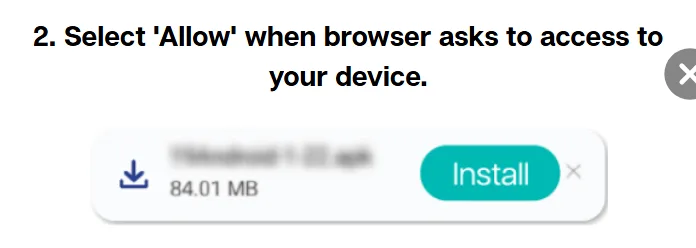
The browser asks for permission to save the file to the device. Confirm it, otherwise the download never begins.
Confirm the download
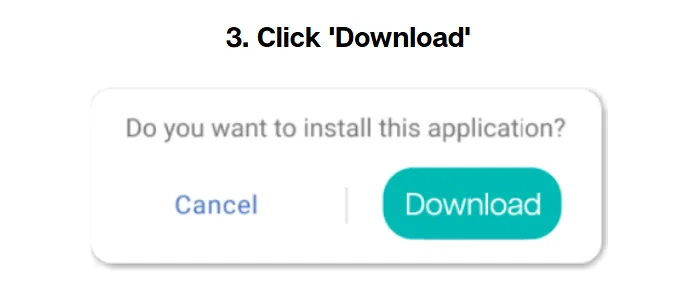
Android warns that files of this type can harm the device. That warning appears for every APK installed outside the store. Confirm to continue.
Open the downloaded file
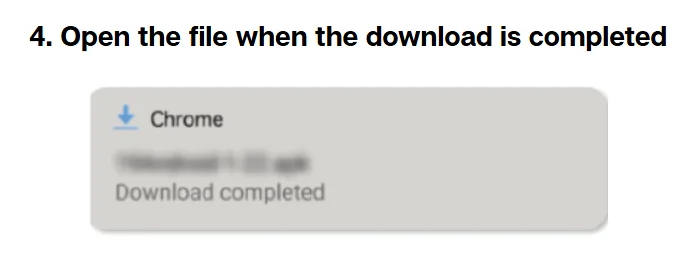
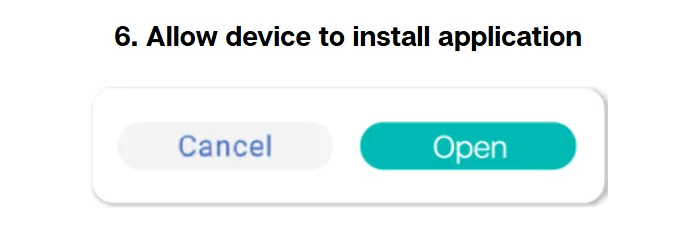
When it finishes, open it straight from the notification or from the downloads folder. The installer screen appears.
Go to settings when prompted
If installation is blocked, the phone offers a settings shortcut. Follow it rather than hunting through the menus yourself.
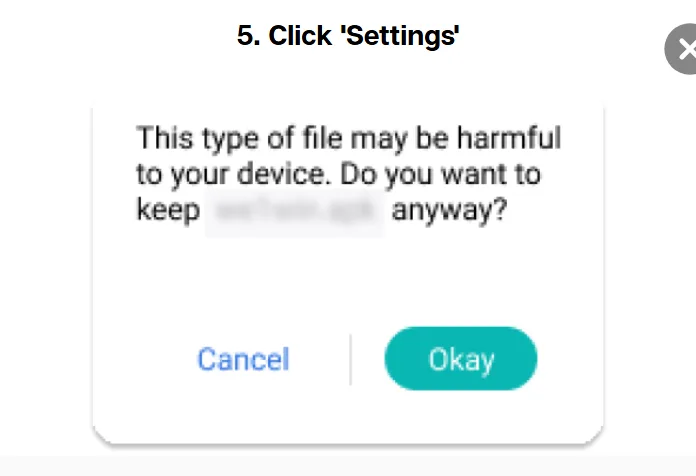
Allow this source and finish
Enable installation from this source, then return and complete the install. The icon appears on the home screen and the account signs in as usual.
Installing on iPhone: Step by Step
Seven steps, and the important thing to understand first: this is a configuration profile, not an App Store download, which is why the flow moves between Safari and Settings.
Open the download page in Safari
Scan the iOS QR code or open the page in Safari, then press download. Other browsers cannot complete this install.
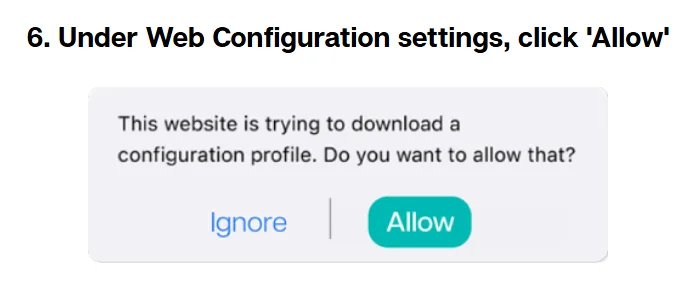
Allow the profile download
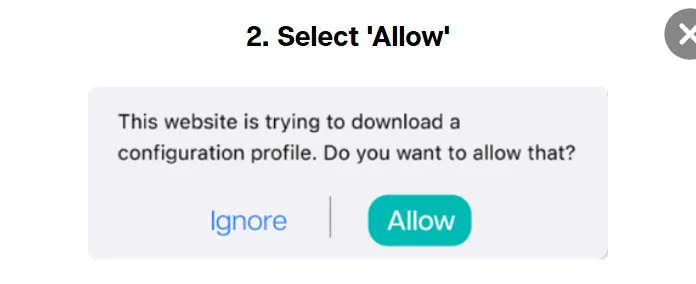
Safari asks whether the site may download a configuration profile. Allow it; the file goes to Settings rather than to the home screen.
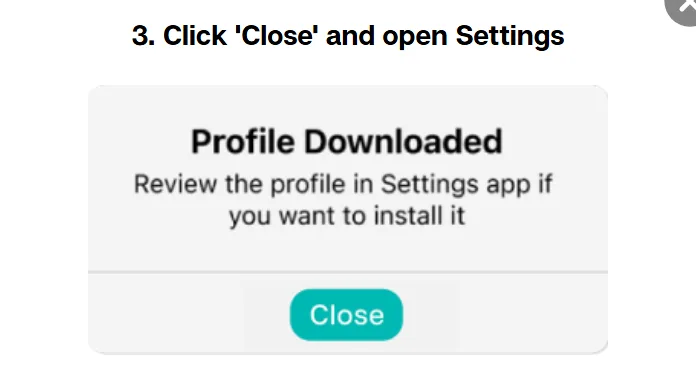
Close the dialog and open Settings
Nothing appears on the home screen yet. Close the message and open the Settings app, where the downloaded profile is waiting near the top.
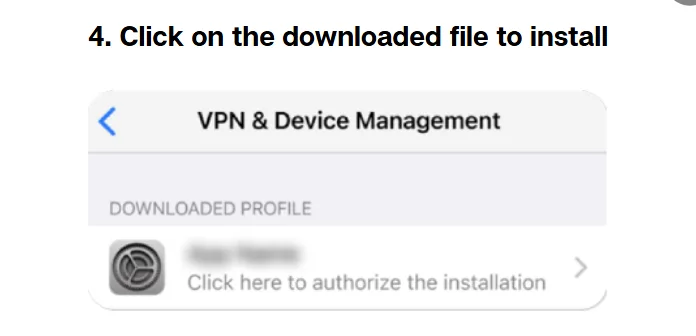
Tap the downloaded profile
Open the profile entry to start the installation. If it is not visible, it sits under the general profile section.
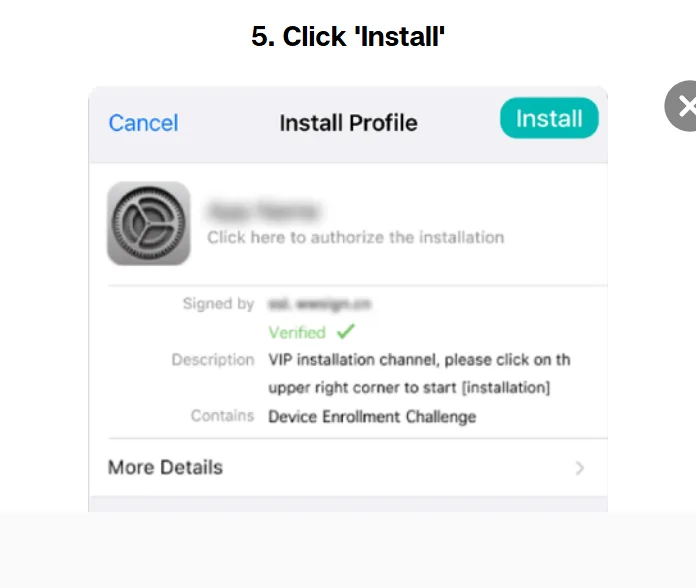
Press install
Confirm the installation. The phone may ask for your passcode at this point, which is standard for any profile.
Allow the web configuration
A second confirmation covers the web configuration itself. Allow it to continue.
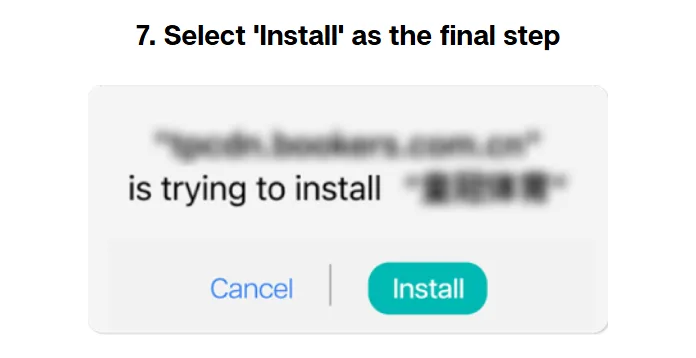
Finish the installation
Press install one final time. The icon appears on the home screen and opens the client directly, where the usual login applies.
Updates and Installation Problems
When an install refuses to complete, work through these in order: check there is free storage, delete any previous build, confirm the permission to install from this source is granted, and repeat the download without changing networks. On iPhone, confirm the page really is open in Safari.
Updating follows the same route as installing. Download the current build from the same page, and remove the old version first rather than installing over it, which avoids the mismatch that usually shows up as a client that opens and immediately closes.
If it still will not go, the round the clock chat can see which step is failing. Details of what to send them are on the contact customer service page.
App or Browser Version
Both routes reach the same account. The question is only whether the install is worth it for how you play.
Pros
- App: stays signed in between sessions
- App: cashier and support one tap away
- App: live odds refresh faster than a browser tab
- App: survives a switch between Wi-Fi and mobile data
- App: notifications for offers and account events
Cons
- Browser: nothing to install, works on any device
- Browser: no storage used and no updates to manage
- Browser: better when you play from a shared or work phone
- Browser: identical games, odds and bonus terms
What You Can Do After Logging In
Everything the site offers, in the same account: slots and live tables, the sportsbook and esports board, fish shooting rooms, poker and the 4D section, plus the cashier, bet history and live chat.
Bonuses work identically too, including the welcome offer and the daily rebate, provided your real name, phone and bank details are linked in the member area. Until that is done, offers stay locked whichever device you claim them from. The current list is on the current promotions page.
FAQ
Is the app free to install?
Yes. There is no charge for either client, and no deposit is required to install or open one.
Do I need a separate account for the mobile client?
No. The same account, balance, bonuses and history work across the website and both mobile clients.
Why does my phone warn me about an unknown source?
Because the file is installed outside the store. Android shows that warning for every APK, and the permission is granted during the install rather than in advance.
Can I install the client on an iPhone without the App Store?
Yes, that is exactly how it works: a configuration profile downloaded through Safari and confirmed in Settings.
What should I do if the installation stops halfway?
Delete any previous build, check free storage, stay on one network and repeat the download. If it persists, live chat can identify the failing step.
Will the app work on tablets?
Generally yes, on both systems. The layout scales up, and live tables in particular benefit from the larger screen.
How do I know I am installing the genuine file?
Start from a verified address rather than a link forwarded in a chat. The list of working addresses is kept on the official site check page.
Get Started on Your Phone
If the account already exists, download the client and sign in. If it does not, the form takes about three minutes and works from the phone as well; it is walked through on the registration page.
Updated: